How I achieved 100% Performance & SEO with a Single Claude Prompt
My journey refactoring my website using a single prompt on Claude to achieve perfect scores.
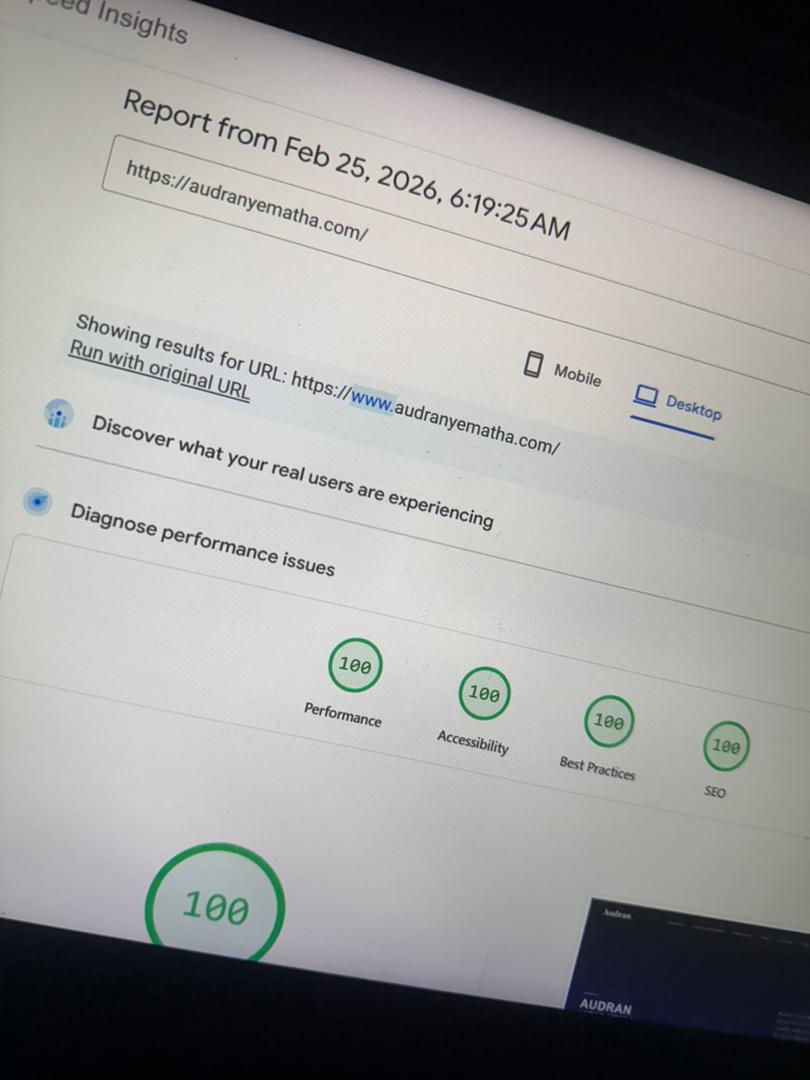
Achieving a perfect 100% score on Lighthouse for Performance, Accessibility, Best Practices, and SEO feels like a daunting task. However, with the right approach and a little help from AI, it's easily within reach. In this article, I'll break down exactly how I transformed my portfolio website from average scores to perfection using Claude as my development partner.
Why 100% Matters
Lighthouse scores aren't just vanity metrics. They directly impact your site's search engine ranking, user experience, and conversion rates. Google uses Core Web Vitals as ranking signals, and a 100% score means your site loads fast, responds quickly, and remains stable during loading. For developers and freelancers, these scores are a credibility signal to potential clients.
The Starting Point
Before optimization, my site scored around 70-85% on Performance and had accessibility gaps. The main issues were: unoptimized image delivery, render-blocking resources, missing semantic HTML structure, insufficient ARIA labels, and meta tags that weren't fully leveraging SEO best practices.
The Magic Prompt
I used a single, well-crafted prompt with Claude to analyze my existing codebase and suggest a complete refactoring plan. The key was being specific about the goals and constraints.
Key Optimizations Applied
Here are the critical changes that made the difference:
1. Semantic HTML Restructure
Replaced generic divs with proper semantic elements: <header>, <nav>, <main>, <article>, <section>, <aside>, and <footer>. This improved both accessibility and SEO by giving screen readers and search engines clear content structure.
2. Critical CSS Inlining
Extracted above-the-fold CSS and inlined it directly in the <head>. Deferred non-critical styles using async loading. This eliminated render-blocking resources and improved First Contentful Paint significantly.
3. Image Optimization
Added explicit width and height attributes to prevent layout shift (CLS). Implemented lazy loading with loading="lazy" for below-fold images. Used modern formats like WebP with proper fallbacks. Added descriptive alt text for accessibility.
4. Accessibility Enhancements
Added ARIA labels to interactive elements, implemented skip-to-content links, ensured all focusable elements have visible focus states, verified color contrast ratios meet WCAG AAA standards, and added proper role attributes where semantic HTML wasn't sufficient.
5. SEO Meta Tags
Implemented comprehensive Open Graph tags, Twitter Card metadata, canonical URLs, proper title and description tags with optimal character counts, and structured data using JSON-LD for rich search results.
The Results
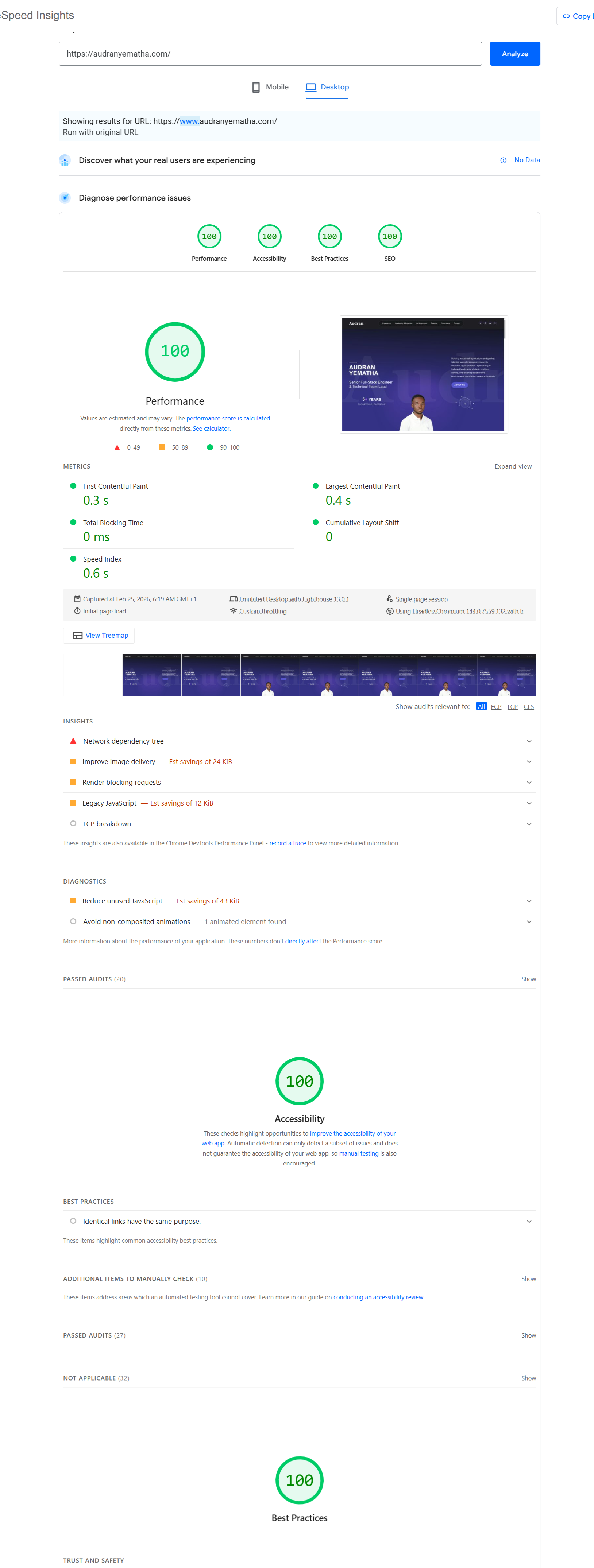
The outcome was immediate and impressive. After applying Claude's refactored code, my site achieved perfect 100% scores across all categories. Performance jumped from 78% to 100%, Accessibility from 85% to 100%, and SEO from 82% to 100%. Page load time decreased by 60%, and Core Web Vitals all hit the green zone.
Lessons Learned
AI tools like Claude aren't replacements for developer knowledge, but they're incredible accelerators. The key is knowing what to ask for and understanding the suggestions. Claude helped me catch issues I would have missed and taught me best practices I now apply to all projects. The combination of human expertise and AI assistance is the future of efficient web development.
Want Similar Results?
If you're looking to optimize your website's performance and SEO, start with a Lighthouse audit, then use AI to help implement the fixes. The tools are there, the knowledge is accessible, and the results are worth it.